AWS Code commit

AWS code commit is fully managed source control service provided by AWS. it enables team to secure store and manage source code in the cloud. code commit support git repositories, allowing developers to collaborate on code and version control their projects. it integrates with other AWS services and provides features such as access control, branching, and integration with CI/CD Pipelines.
difference between code commit and GitHub:
AWS code commits and GitHub are both version control service. But they have some differences:
Hosting Platform
code commit is hosted by AWS whereas GitHub is independent platform that hosts git repositories. It's widely used for open-source projects.
Practical use case of code commit-
Integrating Git bash with AWS Code commit: -
Use case: - Create a one html web code in local Git and push that code in AWS code commit.
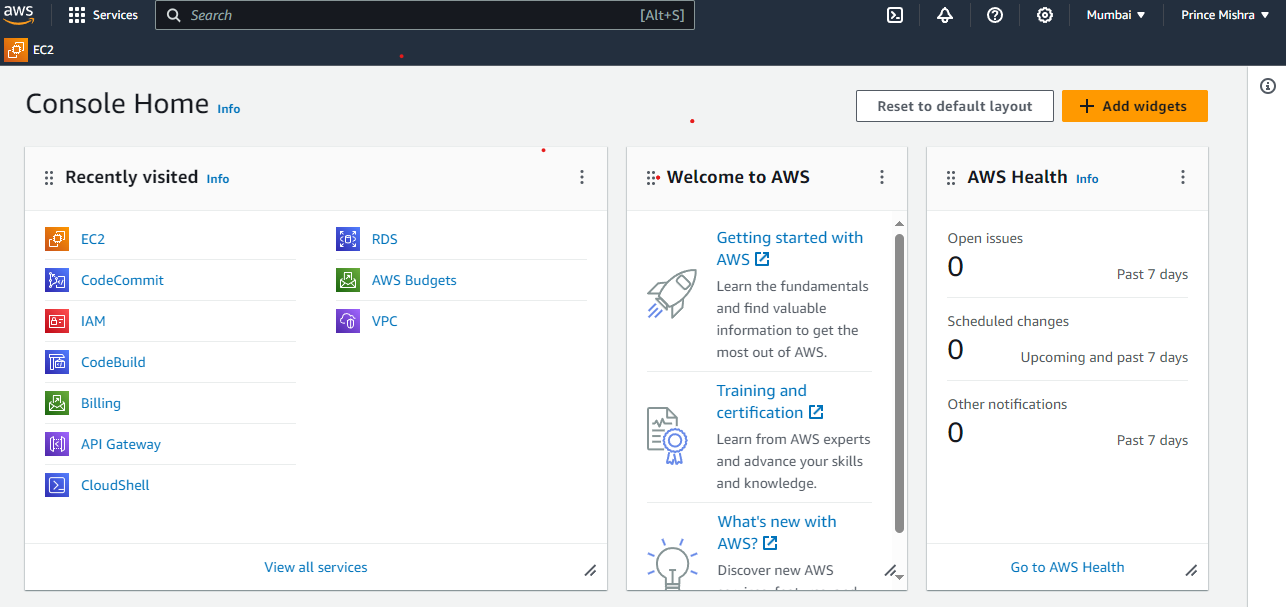
Step1: - First create an AWS Account and Search a code commit service.

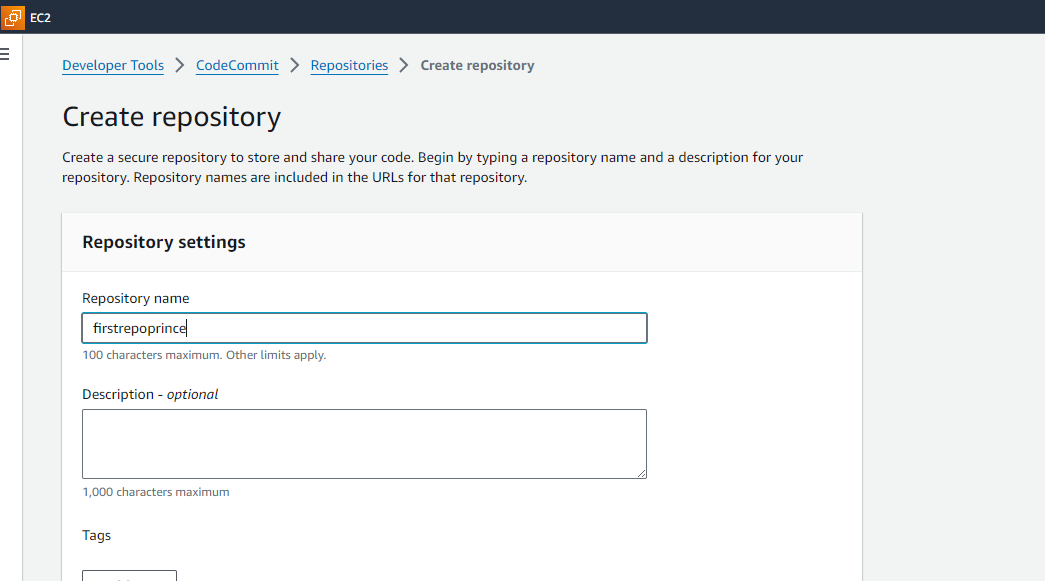
step2: -Create an empty repository in code commit.
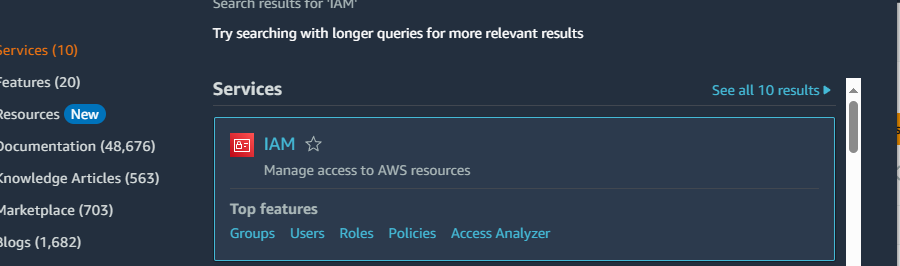
step3: -After successful creation of repository we have set security like access to that repository, so we need create one IAM user for accessing that repository. For initial practice set permission like administrator access and after successful security credential just go User that we created and click on security credential and go the HTTPS Git Credentials for AWS code commit and click Generate Credential and Save login and password.
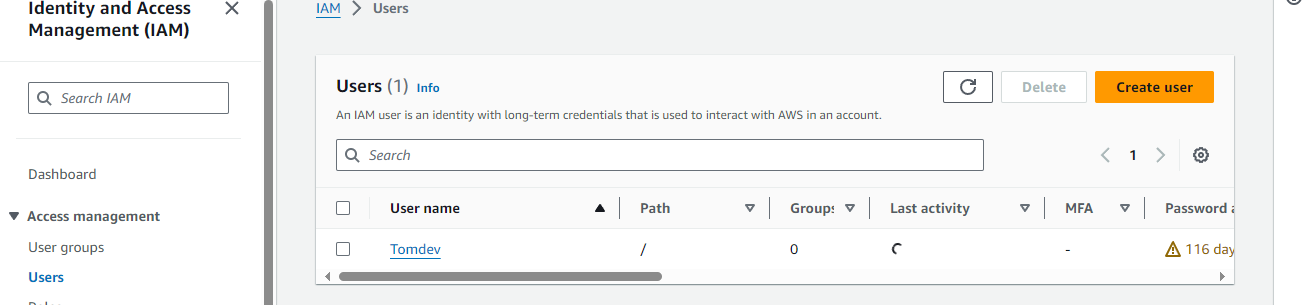
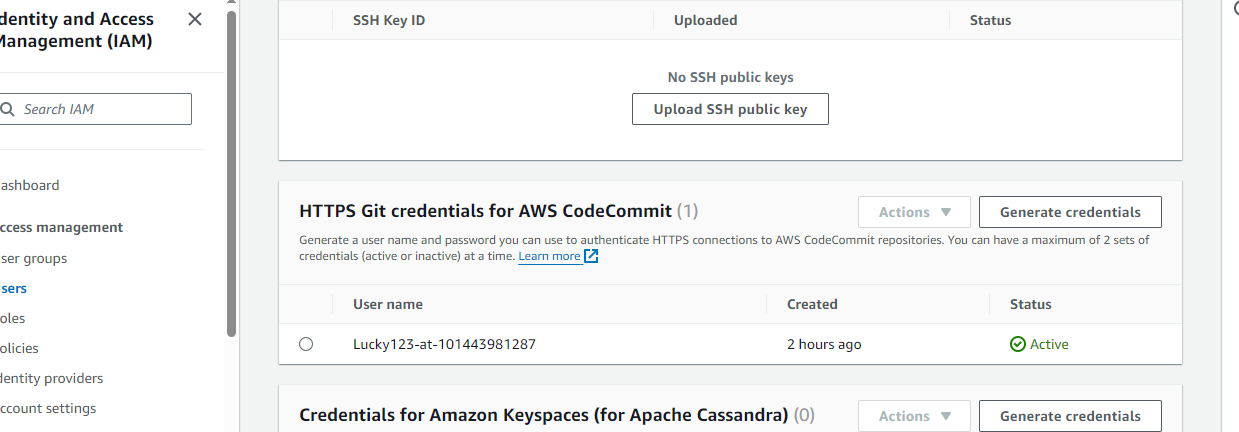
step4: -After successful setup of AWS just open Gitbash in the local system and create one directory in documents [ use command mkdir directoryname] and from code commit use(copy) HTTPS clone. And put username and password.
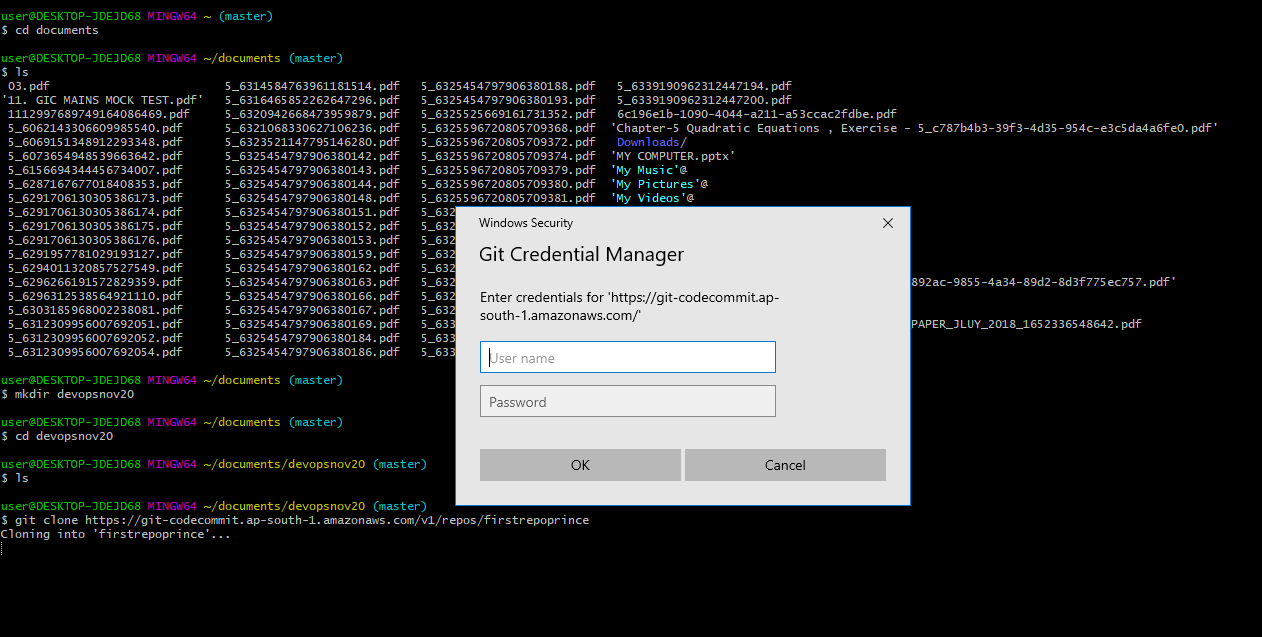
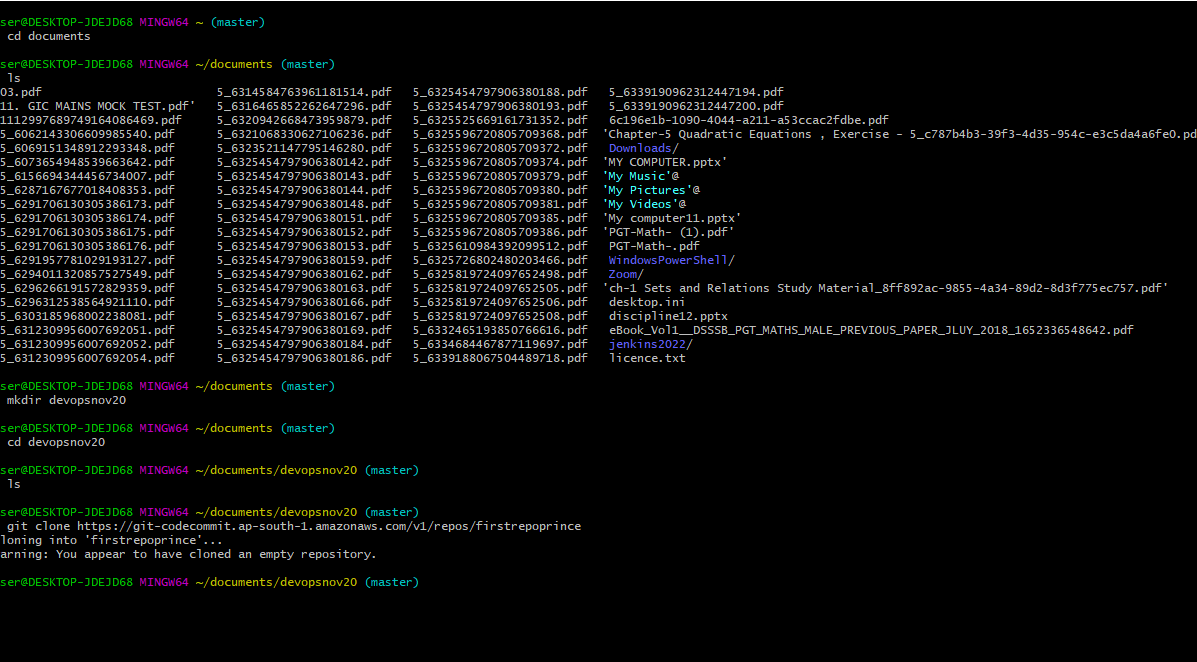
step5: -after successful login just confirm empty repository that we created in code commit of AWS Service.
step6: -Open notepad and create one file index.html.
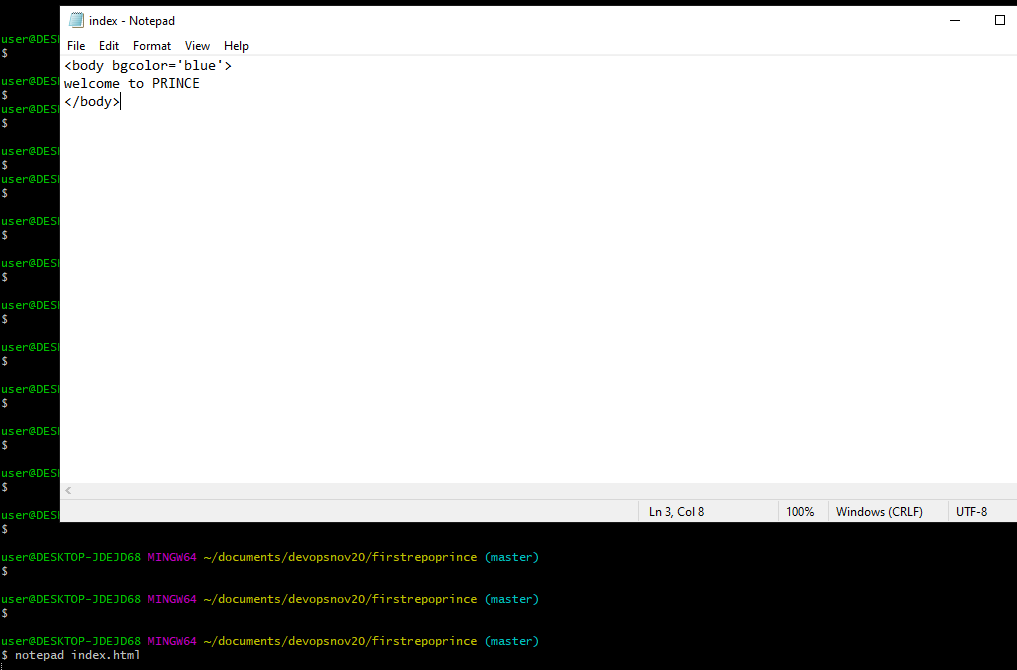
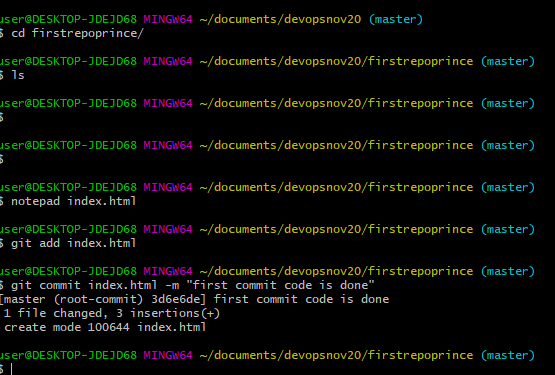
step7:- Use git add command to add git file in trackeing area and after that commit by use git commit( 1. git add index.html 2. git commit index.html -m "comment")
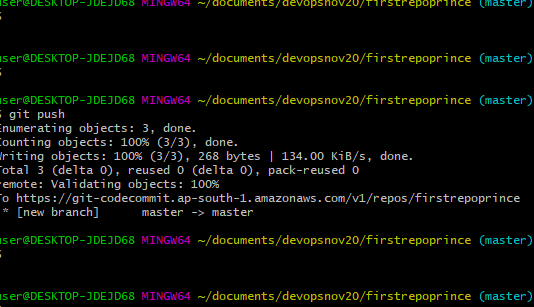
step7: -Use git push command to push the code in repository.
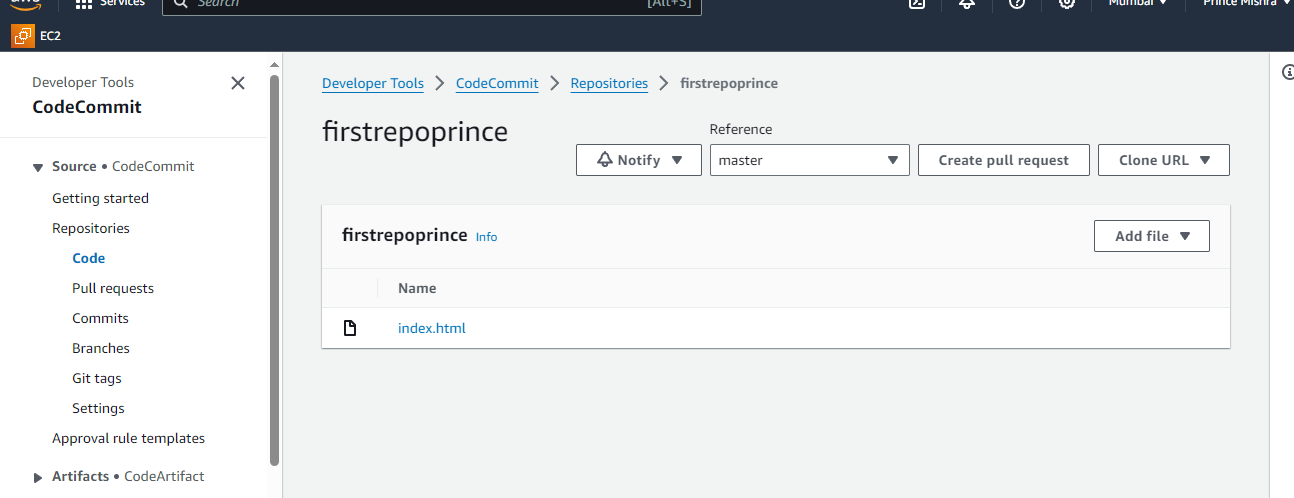
step8: -check your code in AWS code commit.
Thank you for taking the time to read my blog. I appreciate your interest and hope you find the content valuable. if you have any thoughts or comment, feel free to ask.
#aws #Codecommit